

myCadillac Mobile App
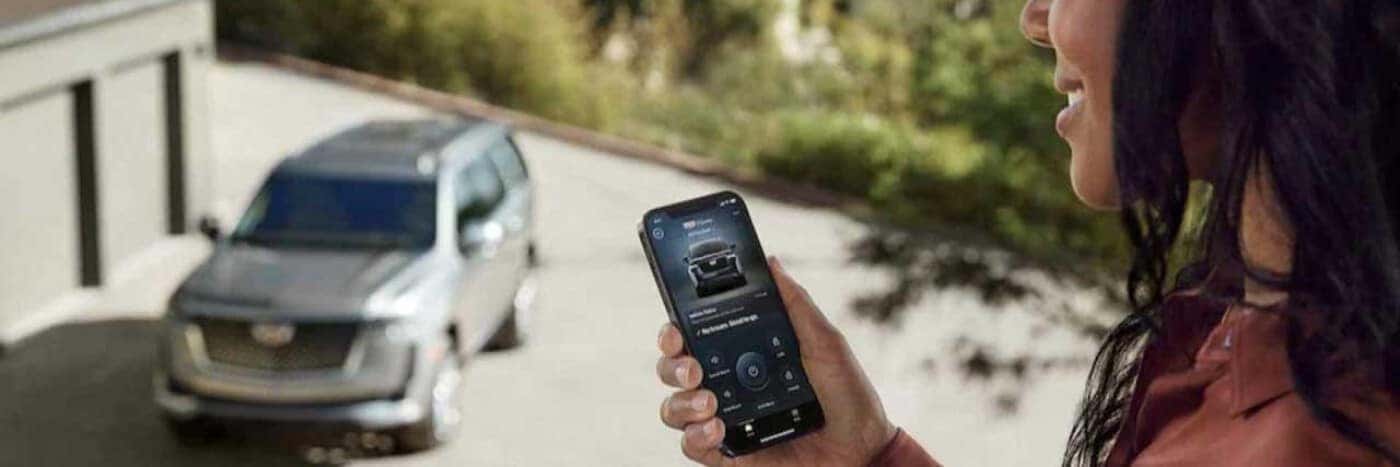
myCadillac Mobile App With Premier Cadillac of Carlsbad
Enjoy your Cadillac vehicle even more with the addition of the myCadillac Mobile App. This app offers convenience, connectivity, and control from anywhere as you drive around Carlsbad, Oceanside, and San Diego.
Take Control Remotely
Once you have the myCadillac Mobile App installed on your smartphone, you can control your Cadillac vehicle from your phone. Use it as a remote key fob where you lock and unlock the doors, start the engine, and even flash the lights and sound the horn.
Use the app to find your vehicle in a crowded parking lot. This app shows your Cadillac on a map, making it easier to locate. With Voice Assistant, you can provide audible commands to start the engine, lock or unlock the doors, and manage other vehicles in your home through Amazon Alexa or Google.
Monitor Vehicle Status
Use the myCadillac Mobile App to keep track of important information about your vehicle. It can provide details, such as tire pressure, fuel level, mileage, and even how much oil life is left. You’ll find it easier to stay organized about when you need to service your vehicle with this data. You can even schedule routine maintenance at Premier Cadillac of Carlsbad’s service center from the app.
Request help if you’re stranded on the road with Roadside Assistance. You can also use the app for your passengers to access the internet with Wi-Fi Hotspot Management. This feature allows you to update the name and password or purchase and upgrade data plans.
Enhance Your Experience
You can enjoy a more personalized experience with the myCadillac Mobile App. Customize your entertainment system with radio stations preset. Use it to access the owner’s manual when you have a question about one of the features of your vehicle or other issues.
This app also provides insights about how you drive. It will include tips to help you improve. Plan a new route with the app and send the directions to your Cadillac navigation system.
The myCadillac Mobile App has been redesigned and now makes it even easier to be in control. You can download it to your smartphone from the Google Play Store or Apple App Store. Once it is installed, you’ll need to create an account on my.cadillac.com. After you have set up your account, you can log in on your smartphone.
If you have questions or would like help setting up your account or app, you can talk with the team at Premier Cadillac of Carlsbad. Our staff will be happy to explain how the app works and show you more of what you can do with it.
Stop by Premier Cadillac of Carlsbad today to find your new Cadillac vehicle. We offer a wide selection of brand-new and pre-owned models to suit every kind of driver. Get started by visiting the dealership or filling out our online credit application. Let us help you get into a vehicle you love and can enjoy with the myCadillac Mobile App.